Enigma Cube
A timer and a speedcubing school in one app
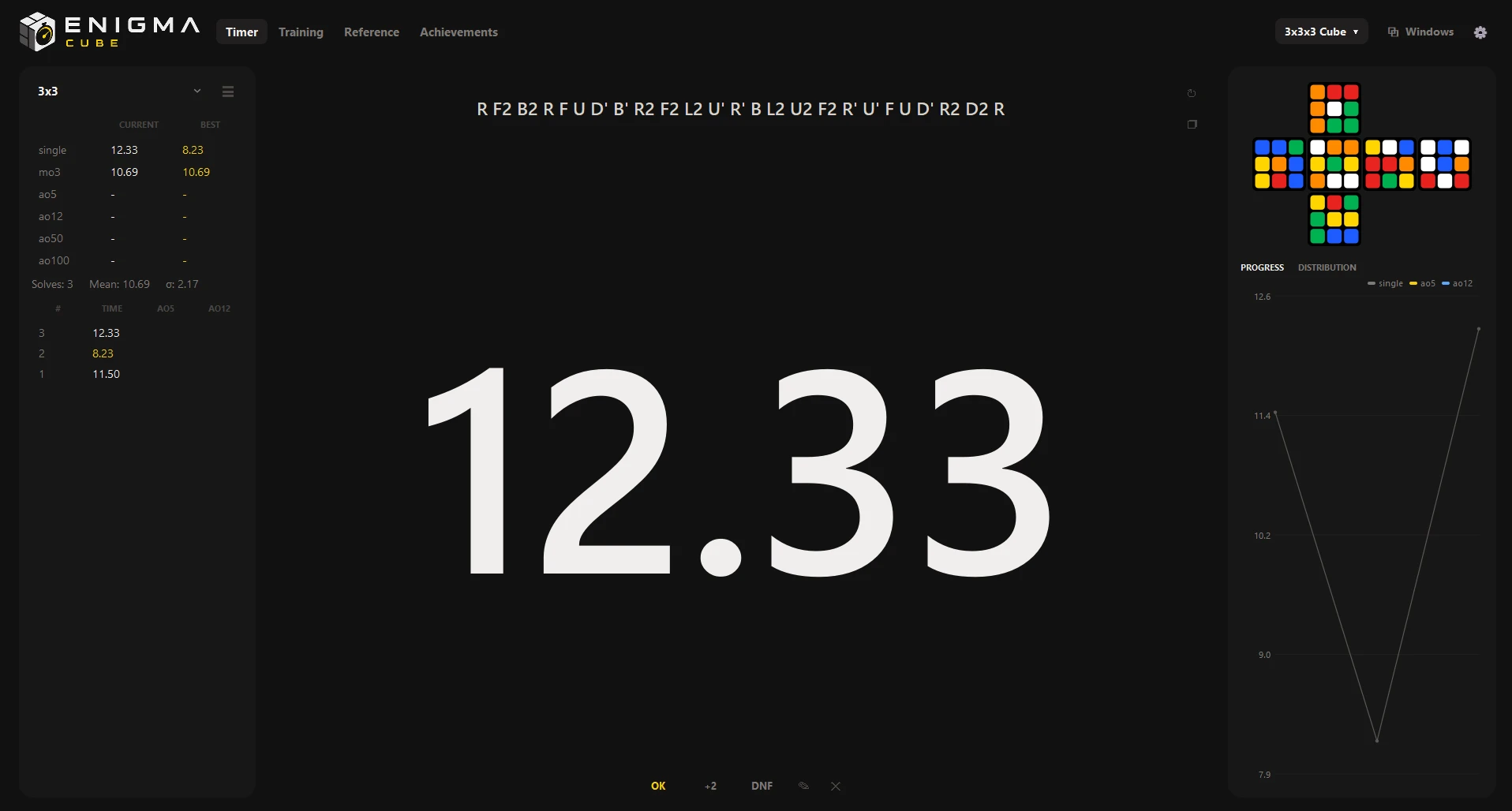
Enigma Cube is a timer and a speedcubing school in one app for Windows. It generates WCA scrambles, times you like a real Stackmat and calculates your averages and personal bests.
The Training section has courses for all 14 WCA events: from your very first solve to the methods the pros use. Every course has three levels: beginner, intermediate and advanced.
Everything works without the internet, and every solve stays on your computer.
Why Enigma Cube
One app instead of three
Usually a cuber keeps a timer in one tab, algorithm sheets in another and a trainer in a third. Learning apps are often made for phones, cover only the 3x3 or lock the advanced methods behind a payment. Enigma Cube puts all of it on your PC: a WCA timer, courses for every event and a trainer that tells you what to repeat. Free and offline.
- 14WCA events with a timer and a course
- 342algorithms with pictures
- 40achievements
- 0internet needed
Training
-
Courses for every event
3x3 (beginner method, Fridrich/CFOP, Roux), 2x2 (Ortega, CLL), 4x4–7x7 (reduction and parity), Pyraminx (L4E), Skewb, Megaminx, Square-1, Clock, blindfolded, one-handed and FMC.
-
342 algorithms with pictures
Every set that has a simulator in the app is checked on it automatically. Popular cases come with verified alternative algorithms.
-
A smart trainer
Spaced repetition and a “Recognise the case” quiz. The app decides what is due for review and introduces new algorithms gradually.
-
Notation reference
For every puzzle, with a picture of each move.
-
40 achievements
For solves, personal bests, learned algorithm sets and practice days in a row.
-
Any section in its own window
Mini timer, Training, Reference and Achievements open in separate windows that can stay on top of the others.
Timer and statistics
- 14 WCA eventsCubes from 2x2 to 7x7, Pyraminx, Skewb, Megaminx, Clock, Square-1, OH, 3BLD and FMC.
- Scramble previewSee how the puzzle should look after scrambling, before you start.
- A fair timerHold space to start, like a real Stackmat. 15-second WCA inspection with automatic +2 and DNF.
- WCA statisticsao5, ao12, ao50 and ao100, a progress chart and a time distribution.
- Sessions and dataAs many sessions as you like. Import from csTimer, export to CSV.
- Focus on the solveA minimal dark interface, focus mode and minimal mode. English and Russian.
Screenshots
Click any image to view it full screen
What’s new in 3.1
- A Windows menu: the mini timer, Training, Reference and Achievements open in separate windows and stay on top of the others.
- A course overview page: overall progress, the next step and what is due for review.
- A “Recognise the case” quiz and detailed algorithm cards: length, what the algorithm does and alternative versions.
- New lessons: cross, finger tricks, look-ahead and Roux.
- A clearer timer screen.
What came in 3.0
- The Training section with courses for all 14 events and a trainer.
- A notation reference and achievements.
- Multi-window mode.
- A new installer in the Enigma style.
System requirements
- System
- Windows 10 or Windows 11, 64-bit
- Disk space
- About 100 MB
- Installer
- About 41 MB
- Screen
- 1280×720 or larger
- Internet
- Not needed
- Price
- Free
Installing and updating
Enigma Cube is not yet signed with a paid code certificate, so Windows may show a blue “Windows protected your PC” window the first time. This is normal for small independent apps. If an older version is installed, the installer updates it and keeps all your solves.
- Run EnigmaCube-Setup-3.1.exe.
- If the blue window appears, click More info, then Run anyway.
- Choose the folder and shortcuts and click Install (or Update).
SHA-256:
Source code
The code is on GitHub
The full source code of Enigma Cube is on GitHub: the timer, the scramble generator, the statistics and the installer. Read it, build it with Python, report a bug or suggest an idea.
Ready for your next PB?
Timer and speedcubing school, free for Windows 10 and 11.